Volume 20, Chapter 3
Backups and Data Security
Definition
MANIAC MINDZ believed its pattern library was backed up. A copy sat on an external drive kept in the same drawer as the computer it backed up. When that computer was damaged, the "backup" drive turned out to be months out of date, and several patterns existed nowhere else at all.
A backup is a spare copy of business data, stored so that losing one device, file, or location can never destroy the only record. Data security protects that data, original and backups alike, from unauthorized access, corruption, or loss.
Why did having "a backup" still fail to protect anything? Because a backup sitting in the same drawer as the original shares the exact same risk, one damaged computer, one spilled drink, one theft takes out both at once. A backup only protects against a disaster if it genuinely lives somewhere that disaster can't reach.
Every module from Chapter 1, including customer history, financial records, and the pattern library, exists as data somewhere. A backup is the only thing standing between a single bad afternoon (a stolen laptop, a spilled drink, a corrupted file) and losing years of it permanently.
The 3-2-1 Rule
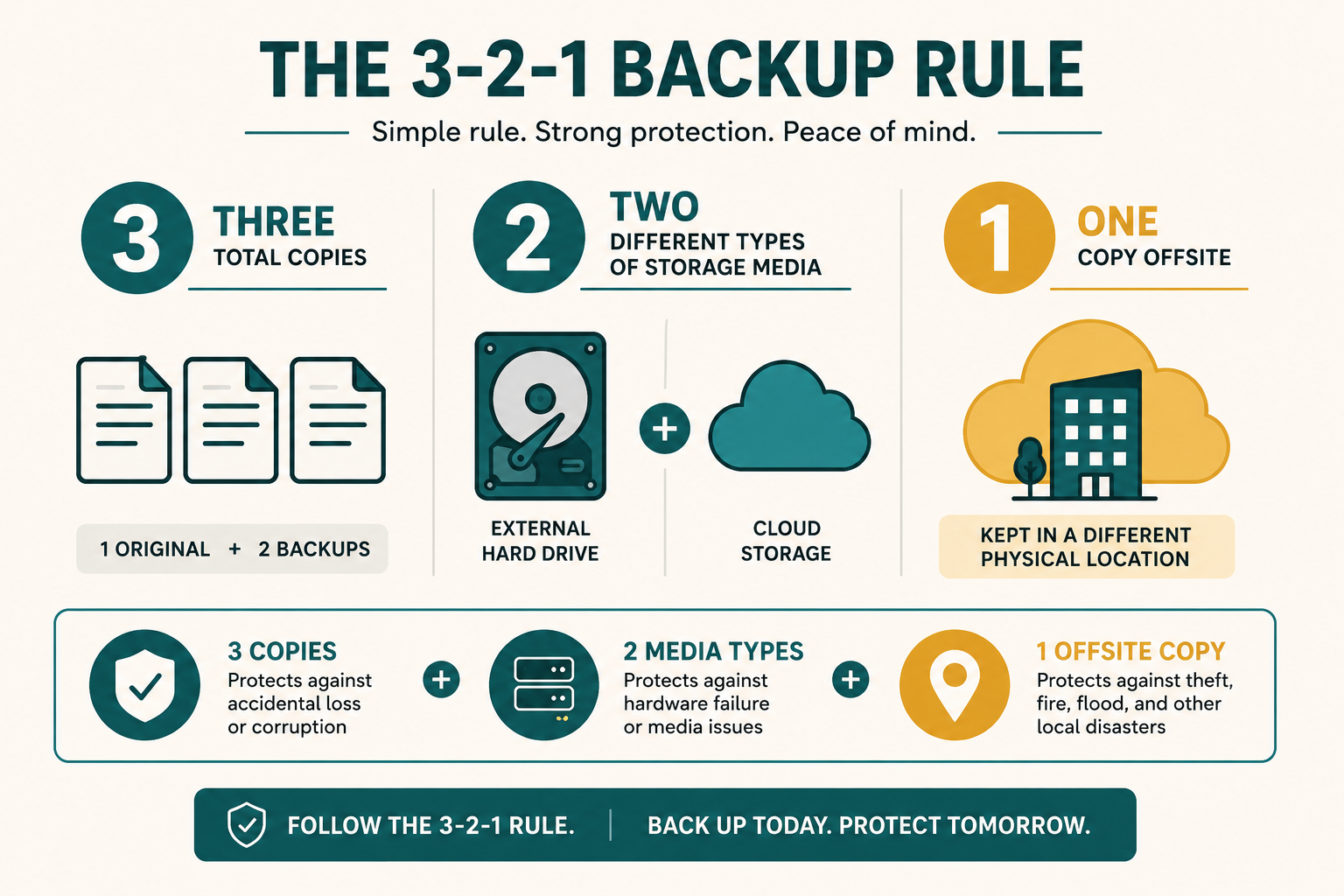
| Element | Meaning |
|---|---|
| 3 copies | The original plus at least two backups |
| 2 media types | Not all copies on the same kind of device (e.g., not two copies on two laptops in the same bag) |
| 1 offsite | At least one copy physically away from the building, a fire or theft affecting the premises shouldn't be able to destroy every copy at once |
One backup, in the same room as the original, isn't really a backup. It's a second copy of the same risk. Recall Volume 10's physical risk logic: fire and theft threaten everything in one location at once.
What Needs Backing Up
Recall Chapter 1's modules: customer records, financial records, the pattern library, and photos are all data that would be genuinely painful, sometimes impossible, to reconstruct from memory. Backups aren't only for "the computer" generally; they're specifically for whichever modules the business actually depends on.
Example Story: The Backup Nobody Had Tested
Here's the full version of the same-drawer story from the start of this chapter.
MANIAC MINDZ believed its pattern library was backed up. A copy existed on an external drive kept in the same drawer as the computer it backed up. When that computer was damaged, the "backup" drive was found to be several months out of date, and several patterns existed nowhere else at all.
The real fix wasn't just adding a backup. It was moving one copy genuinely offsite, a simple cloud folder, and testing, every month, that a randomly chosen file could actually be restored from it.
Across Industries
What counts as irreplaceable data changes completely depending on what each business actually creates.
| Business | Critical Data to Back Up |
|---|---|
| Golden Crust Bakery | Recipes, standing order records, supplier pricing history |
| Rapid Auto Works | Vehicle service histories, diagnostic records |
| Precision Print & Press | Client artwork files, brand colour specifications |
Common Mistakes
Fails against exactly the risks (fire, theft) it should protect against, see the example story.
An untested backup is a hope, not a guarantee. It may be incomplete, corrupted, or outdated without anyone knowing until it's needed.
An occasional, whenever-remembered backup can still leave months of un-backed-up work exposed.
Quiz Yourself
Practice Exercise
Using the Backup Checklist, confirm your business currently has 3 copies of its most critical data, on 2 different media types, with 1 stored genuinely offsite. Test restoring one file today.
Quick Summary
Quick Summary
- The 3-2-1 rule: 3 copies, 2 media types, 1 offsite, never all copies in one location.
- Back up specifically the modules the business depends on: customer, financial, and pattern/design data especially.
- Test restoring from backup regularly, an unverified backup is only a hope.